Tutoremy Pricing 2026: Free, Basic and Pro Plans Explained
Tutoremy Team
Product · November 5, 2026
Tutoremy has three plans: Free, Basic and Pro. You can pay for Basic or Pro monthly, every 3 months or yearly. This post lays out what each one costs, what the limits mean in practice, and how to pick, so you don't pay for more than you'll use.
All prices are in US dollars. Sales tax or VAT may be added depending on where you live. The pricing page always has the current numbers.
The short answer
| Free | Basic | Pro | |
|---|---|---|---|
| Monthly | $0 | $9.99 | $19.99 |
| Every 3 months | $0 | $21.99 (about $7.33/mo) | $44.99 (about $15/mo) |
| Yearly (launch offer) | $0 | $59.99 (about $5/mo) | $119.99 (about $10/mo) |
| Credits per month | 200 | 2,000 | 6,000 |
| New guides a month (typical) | About 2 | About 10 | About 30 |
| Guides you can keep | 10 | 100 | Unlimited |
| Resources per guide | 1 | 10 | 20 |
| YouTube watched in full | 15 min | 90 min | 3 hours |
| Storage / max file | 100 MB / 10 MB | 1 GB / 50 MB | 5 GB / 100 MB |
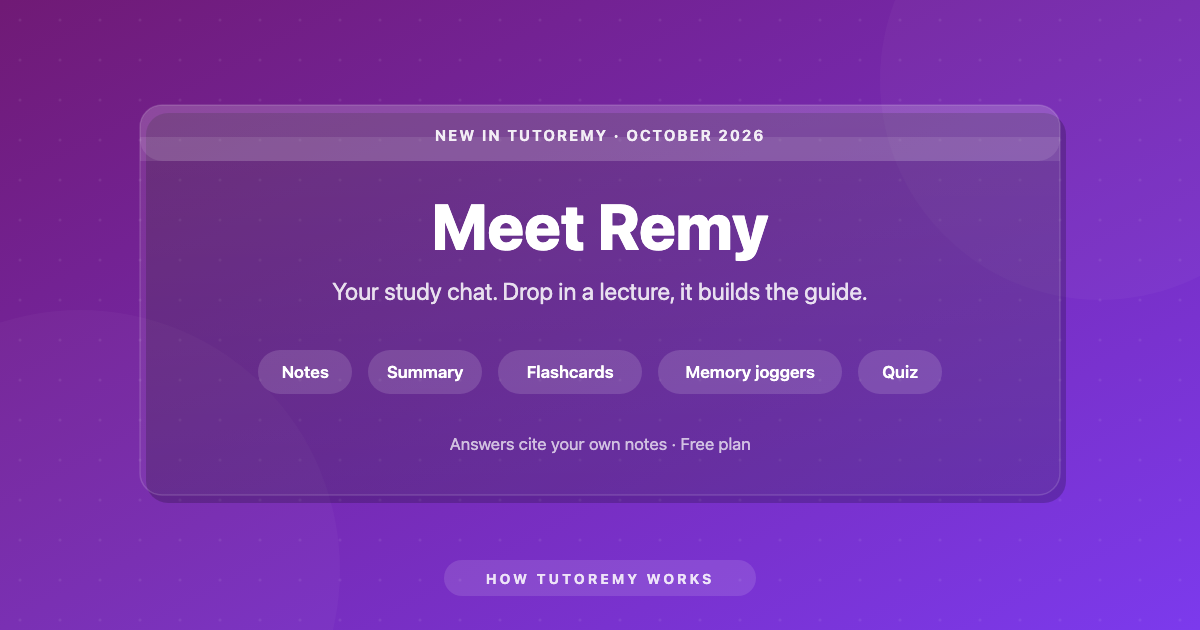
Every plan, including Free, gets the same study materials: notes, a summary, flashcards, memory joggers, a practice quiz and AI-generated images, plus Remy, the study chat. Paid plans give you more room, not different features.
What the limits mean
Credits. Each time Tutoremy generates study materials, it uses credits. A typical guide uses about 100, including up to 10 images. So 200 credits is roughly 2 new guides a month, 2,000 is about 10 and 6,000 is about 30. Free also has a weekly cap of 200 credits, which renews every Monday. Basic and Pro have no weekly cap.
Guides. A guide is the workspace for one course, topic or exam. Free keeps 10 at a time, Basic 100 and Pro unlimited.
Resources per guide. This is the limit people notice first. On Free, a guide is built from one source: one PDF, one slide deck, one link or one YouTube video. On Basic you can combine 10, and on Pro 20. If you want a single guide for a whole midterm (six lecture decks, two readings and a review video), you need a paid plan.
YouTube length. Tutoremy watches a video in full, picture and sound, up to 15 minutes on Free, 90 minutes on Basic and 3 hours on Pro. Longer videos still work from their captions.
Which plan fits you
Free suits you if you're trying Tutoremy out, or you study from one source at a time: a chapter PDF before class, a short lecture video, a photo of a homework question. There's no credit card on file, ever.
Basic suits most students during a normal term. Ten resources per guide covers a typical exam's worth of slides and readings, and about 10 new guides a month is two or three per course for a full load.
Pro suits heavy users: med, nursing and law students with dense weekly reading, grad students working through papers (the literature review table works best with many sources in one guide), or anyone who wants long lectures watched in full.
A quick test: if you've hit the one-resource limit on Free more than once, try Basic. If you run out of Basic credits before the month ends, either buy a credit pack (below) or move to Pro.
Monthly, every 3 months or yearly
The plan is the same whichever way you pay. Only the price and how often you're charged change.
- Monthly is the most flexible. Good for one exam month, or to try a paid plan before committing.
- Every 3 months fits a term. Basic is $21.99 instead of $29.97 for three monthly payments (27% less), and Pro is $44.99 instead of $59.97 (25% less). It's the default on the pricing page because most students study in terms, not years.
- Yearly is the cheapest per month: $59.99 for Basic and $119.99 for Pro, half of twelve monthly payments. These are launch prices, available until December 31, 2026, and if you lock one in it stays the same when your plan renews.
We wrote a separate guide with the break-even math: monthly vs 3-month vs yearly study app plans. The short version: if you'll use Tutoremy for more than six months of the next twelve, yearly is cheaper. For one term, pay every 3 months.
Credit packs
If you only run short occasionally, you don't need to upgrade. Any plan, including Free, can buy extra credits:
| Pack | Price |
|---|---|
| 500 credits | $4.99 |
| 1,500 credits | $11.99 |
| 4,000 credits | $24.99 |
Extra credits are added to the current month and expire when your monthly allowance resets. If you're buying a pack most months, a paid plan works out cheaper.
Upgrading, switching and cancelling
You upgrade inside the app: sign in, open Settings → Plan, choose Basic or Pro and how you want to be billed. New limits apply as soon as payment goes through.
You can cancel anytime from the same page. You keep the paid plan until the end of the period you've paid for, then your account moves to Free. Nothing in your account is deleted.
One habit worth keeping with any subscription, ours included: 3-month and yearly plans renew automatically. If you're paying for one term, put a reminder in your calendar a few days before it renews.
Frequently asked questions
See below for the questions we get most often. Still unsure? Start free, build a guide from this week's lecture, and upgrade only if you hit a limit.
Frequently asked questions
Is Tutoremy free?
Yes. The Free plan costs nothing and never asks for a credit card. It includes 200 credits a month, about 2 new guides, 10 guides kept and 1 resource per guide, with every study material type.
How much does Tutoremy cost?
Basic is $9.99 a month, $21.99 every 3 months or $59.99 a year. Pro is $19.99 a month, $44.99 every 3 months or $119.99 a year. Yearly prices are a launch offer available until December 31, 2026. Prices are in USD and tax may apply.
What's the difference between Basic and Pro?
Pro has three times the credits (6,000 vs 2,000 a month), unlimited guides instead of 100, 20 resources per guide instead of 10, YouTube videos up to 3 hours instead of 90 minutes, and 5 GB of storage instead of 1 GB. The study materials are the same.
Does Tutoremy have a student discount?
Every plan is priced for students already. The biggest savings come from how you pay: every 3 months saves at least 25% over monthly, and yearly launch pricing saves 50%.
Can I cancel anytime?
Yes. Cancel from Settings → Plan. You keep your paid plan until the end of the period you've paid for, then move to Free. Nothing in your account is deleted.